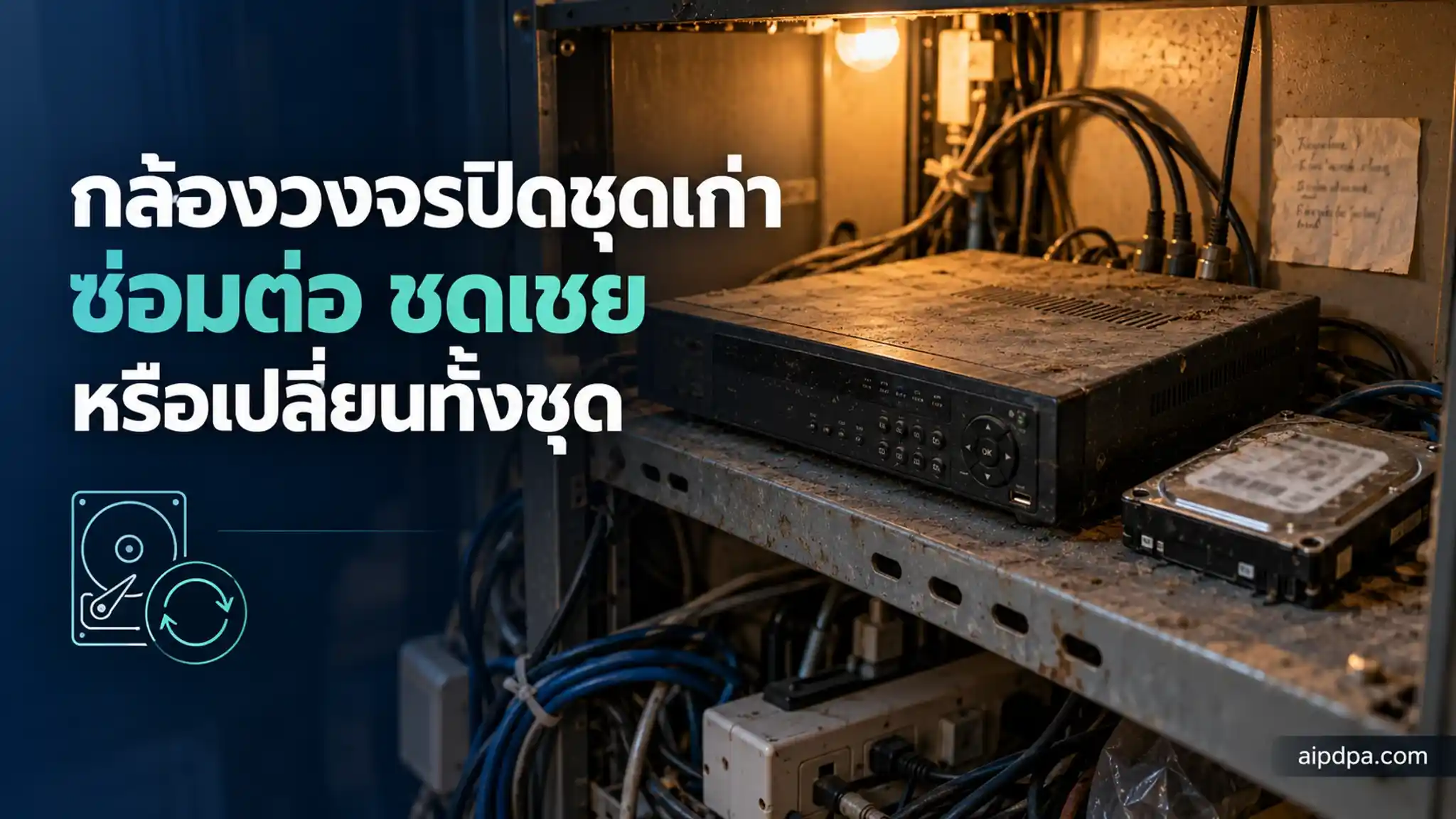
Deciding whether an old CCTV system should be repaired, compensated for or replaced is the subject of section 3.7 of the NCSA guideline, which looks at gaps and risk rather than device age alone. Section 3.8 covers what to do with footage and credentials before disposal. This article is for owners and IT leads with ageing recorders. The guideline is advisory, not law.
- Section 3.7 of the NCSA guideline weighs gaps, impact and cost, and says age alone should not trigger replacement.
- Compensating controls are temporary: they need an owner, a time limit and a review date, and must not be used to postpone a known fix.
- Section 3.8 asks you to erase footage, revoke accounts and keys, and remove the device from any cloud or management system before disposal.
- Do not copy all old footage to the new system by default if it is past your retention period (section 3.7.7).
- The guideline has no binding force, but PDPA section 37 (1) and (3) still apply to footage stored on the device.
Most shops and apartment blocks have one recorder sitting in a cupboard that nobody has touched for years. The lights are on and the picture comes in, so it stays there until a hard disk fails or someone asks whether it is still safe to run.
The National Cyber Security Agency (NCSA) of Thailand issued a CCTV security guideline on 29 September 2026 with two sections for exactly this situation: section 3.7 on assessing and upgrading existing systems, and section 3.8 on retiring devices and handling data.
Be clear about its status. The guideline says in its own foreword that it is only a preliminary recommendation with no binding force and cannot replace any law, notification, contract or other binding requirement. This article therefore says "the guideline suggests", never "the law requires". For notices, lawful basis and data subject rights around CCTV, see CCTV at work under the PDPA. This piece is about old equipment and disposal only.
Does a CCTV system that is 8 to 10 years old have to be replaced?
No. Section 3.7 says outright that the age of a device is not enough to decide. The question is what the old system lacks, how risky that is, and whether the gap can be covered some other way.
การตัดสินใจปรับปรุงหรือทดแทนระบบไม่ควรพิจารณาจากอายุของอุปกรณ์เพียงอย่างเดียว แต่ควรพิจารณาจากผลกระทบ ช่องว่าง ความเสี่ยง ความสามารถในการใช้มาตรการชดเชย และความเหมาะสมของต้นทุนอายุการใช้งานสามารถใช้เป็นข้อมูลประกอบการวางแผนงบประมาณ แต่ไม่ควรใช้เป็นเกณฑ์ให้เปลี่ยนอุปกรณ์โดยอัตโนมัติIn plain English, the two passages say: the decision should rest on impact, gaps, risk, whether compensating controls are possible, and whether the cost is sensible, and age is a budgeting input that should not trigger automatic replacement. This is our own explanation, not an official translation.
Section 3.7.4 lists nine criteria to weigh together: whether support has ended, whether the device can still take security updates, hardware wear, whether performance still meets the purpose, spare-part availability, failure rate, interoperability with other systems, maintenance cost, and the residual risk.
The first two usually carry the most weight. A product that is out of support and has a flaw that cannot be fixed is the case where section 3.7.3 points to compensating controls plus a replacement plan, not to leaving things as they are.
What should you survey on the old system first?
Section 3.7.1 starts with a real survey on site, not memory. It lists 12 items to check, which in practice fall into three groups of questions.
Group 1: what equipment is actually there
Count cameras, note models and firmware versions and where each one hangs, and record the vendor's support status. Put it in an asset register, because section 3.8 needs the same information when the device is retired.
Group 2: who can reach it, and by which route
Check accounts and roles. See whether factory passwords or shared accounts are still in use, whether ports, NAT rules or P2P services expose the system to the internet, and whether management traffic is encrypted.
Group 3: does the stored footage match what you intended
The guideline asks you to find the oldest date that can still be played back and compare it with the stated retention period. If your policy says 30 days and you can scroll back 200, the settings do not match the policy; if only 9 days survive, you are not keeping enough. Those numbers are hypothetical, used only to show the comparison.
The remaining survey items are real image quality, backup and recovery, physical condition and the events the device can log. For storage sizing and retention, see sizing CCTV storage and setting retention.
After the survey, section 3.7.2 suggests sorting the system into one of four statuses. The table below is our own summary of that section.
| Status | What you find | Direction the guideline suggests |
|---|---|---|
| A. Usable after configuration changes | Still supported; gaps come from settings or process | Fix security settings and procedures |
| B. Needs partial upgrade | Some components miss the purpose or are high risk | Repair or replace only what is needed |
| C. Core component must be replaced | Recorder or video management software cannot support required controls | Replace the core; some cameras may stay |
| D. Urgent action | Serious vulnerability, internet exposure or signs of attack | Contain the risk first, then upgrade or migrate |
What are compensating controls, and how long can they stand in for a replacement?
A compensating control is another measure that covers a gap the old device cannot fix itself, for example isolating it from other networks or closing off internet access. The guideline allows this, with conditions attached.
มาตรการชดเชยสามารถนำมาใช้เพื่อลดความเสี่ยงในช่วงเวลาหนึ่งชั่วคราวได้ แต่ควรมีผู้รับผิดชอบ กำหนดระยะเวลาและทบทวนความเพียงพออย่างต่อเนื่องทั้งนี้มาตรการชดเชยควรถือเป็นกลไกบริหารความเสี่ยง ไม่ควรถูกใช้เพื่อเลื่อนการแก้ไขข้อบกพร่องที่ทราบอยู่แล้วออกไปโดยไม่มีกำหนดIn English: compensating controls may reduce risk temporarily, but they should have an owner, a time limit and an ongoing review, and they are a risk-management tool, not a way to put off a known defect indefinitely. Again, this is our explanation of the Thai text.
Section 3.7.5 lists example measures. The first two are marked "should be done" at every level (B, E and H): isolate the legacy system from other networks, and limit or shut unnecessary internet exposure and remote access. The others, such as restricting where the management interface can be reached from, checking more often, limiting who holds access, and recording risk acceptance with an approver and review date, are "worth considering" at the small level (B) and "should be done" at the middle and high levels.
One observation from reading it closely: the guideline sets no number of months for "temporary". What it asks for is an owner, a deadline and a review. A control that is not written down with those three things does not yet meet what the section is asking for.
Which symptoms call for compensating, partial replacement or full replacement?
Section 3.7.3 already pairs findings with suggested actions. The table below is the writer's own suggestion built on sections 3.7.3 and 3.8, adding a column for what to do with the old footage before disposal. It is not text from the guideline.
| Symptom | Suitable option | What to do with old footage |
|---|---|---|
| Factory password or shared account still in use | Fix settings now; no replacement needed (3.7.3) | Nothing to migrate or erase, but assume the old credentials may be known; review accounts and change all of them |
| Viewable from outside through open ports or P2P with no control | Close or restrict first, then redesign remote access (3.7.3) | Check whether anyone has viewed footage; if so, assess it as a possible personal data breach |
| Poor night image or wrong camera angle | Adjust angle, light or settings, or replace only that camera (3.7.3) | If you add cameras or change angles, revisit purpose and necessity (3.7.7) |
| Retention shorter than intended | Add storage or change settings (3.7.3) | Footage older than the set period should be erased, not carried to the new unit |
| Recorder has no role separation, no logs, or no required encryption | Replace the recorder or software, or add a control layer in front (3.7.3) | Migrate only footage still needed, such as an open incident; erase the rest before retiring the unit |
| Vendor support ended with unfixable vulnerabilities | Compensate while waiting, with a dated replacement plan (3.7.3, 3.7.5) | Plan erasure from the day you decide to replace, not when the unit dies |
| Many settings fail the baseline and fixing costs more than new kit | Consider full replacement or migration (3.7.3) | Inventory all data, accounts and keys under section 3.8 before cut-over day |
If you replace in stages, section 3.7.6 suggests ordering the work by risk and impact, not by convenience, in four phases.
- Phase 1Urgent risk reduction: change credentials, close internet exposure, remove unnecessary accountsSection 3.7.6
- Phase 2Baseline security settings: network segmentation, logging, time synchronisation, role-based accessSection 3.7.6
- Phase 3Replace key components that miss the mission or are out of support: cameras, storage, recorder or network gearSection 3.7.6
- Phase 4Long-term architecture: video management, monitoring, backup and recovery, integrationsSection 3.7.6
What must you do with old footage before throwing out a recorder or hard disk?
Section 3.8 opens with a warning that unplugging the unit is not the end of the job, because the box holds more than video.
การเลิกใช้อุปกรณ์ไม่ควรถือว่าสิ้นสุดเพียงเมื่อถอดกล้อง เครื่องบันทึก หรืออุปกรณ์ออกจากระบบเนื่องจากอุปกรณ์อาจยังคงมีข้อมูลภาพ บันทึกเหตุการณ์ ค่าตั้ง ข้อมูลยืนยันตัวตน ใบรับรอง กุญแจเข้ารหัส Token หรือข้อมูลการเชื่อมต่อกับบริการภายนอกOur reading: a retired device may still hold footage, logs, settings, credentials, certificates, encryption keys, tokens and connection details for outside services. Whoever picks it up can use them. That is why section 3.8 asks for the whole list to be closed out.
The five questions in section 3.8.1 to answer before erasing
- Is any footage still within its retention period or under a temporary erasure hold?
- Does any data need to move to the new system?
- Must anything be kept for an investigation, a dispute or another requirement?
- Will the device be reused, sold, returned to the provider, sent for repair or destroyed?
- Is the erasure or destruction method right for the type of storage medium?
The last question matters because the guideline names no single method. It says to erase or destroy according to risk and media type, so a unit that will be resold and one that will be crushed are handled differently. It also cites no data-erasure standard. If you need a specific method, have your IT provider propose it and have the system owner approve it in writing.
The section 3.8 checklist has nine items. Five are "should be done" even at the small level (B): identify the data and credentials still on the device, keep only data still needed, erase or destroy by media type, remove the device from cloud or management systems, and revoke related accounts, certificates, keys and tokens. Factory reset, updating the asset register and network diagram, evidence of erasure, and controlling repair shipments are "worth considering" at the small level and mostly "should be done" at the middle and high levels.
Decommissioning evidence
For important systems, section 3.8.2 suggests keeping evidence. A one-page form per unit covers all seven items: asset ID and serial number, date, approver, method, who did it and who verified it, the accounts and keys revoked, and supporting documents such as a destruction certificate.
For repairs off site, section 3.5.6 suggests removing the storage media if possible, erasing data before shipping or encrypting the media if the data must stay, naming sender and recipient, and forbidding unauthorised copies.
How does the PDPA apply to old equipment and footage left on it?
Footage in which people can be recognised is personal data, so a data controller has duties under section 37 of the Personal Data Protection Act B.E. 2562 (2019). Two bear directly on old equipment: security measures in (1) and erasure in (3).
provide appropriate security measures for preventing the unauthorized or unlawful loss, access to, use, alteration, correction or disclosure of Personal Data
put in place the examination system for erasure or destruction of the Personal Data when the retention period ends, or when the Personal Data is irrelevant or beyond the purpose necessary for which it has been collected
The Act says "appropriate", so no line in section 37 says a recorder of a given age must be replaced. Whether a particular old unit is appropriate depends on the facts. The NCSA guideline helps you explain what you considered; it does not draw the legal line.
Section 37 (3) ties straight into stored footage. If images on the old unit are past the retention period you set, they are due for erasure however much free disk space remains. Section 3.2.3 of the guideline agrees:
ไม่ควรกำหนด Retention จากขนาดพื้นที่จัดเก็บที่มีอยู่ หรือเก็บข้อมูลให้นานที่สุดเพียงเพราะเทคโนโลยีสามารถรองรับได้That is: do not set retention by how much storage you happen to have, or keep data as long as possible just because the technology can. Section 3.7.7 adds a caution for migrations. Old footage should not be copied wholesale to the new system if it is past its retention period, and data on the old system stays protected until it is properly erased.
ข้อมูลในระบบเดิมยังต้องได้รับการคุ้มครองจนกว่าจะลบหรือทำลายอย่างเหมาะสมThree more points from section 3.7.7 are easy to miss. Changing provider can change who is a processor, so review contracts and data processing agreements. Adding cameras or changing angles calls for a fresh look at purpose and proportionality. And if the new system adds AI or biometric features, read the companion guideline on AI-enabled CCTV as well. For provider contracts, see processor agreements.
Mistakes to avoid when replacing or retiring an old system
Sections 3.7 and 3.7.4 do not allow age to decide automatically. A 3-year-old unit exposed to the internet with its factory password can be riskier than a 9-year-old unit isolated on its own network.
Section 3.7.5 wants an owner, a time limit and a review, and says compensating controls should not be used to defer a known defect indefinitely.
Section 3.7.7 advises against automatic migration of footage beyond the retention period, and PDPA section 37 (3) calls for a system to erase when the period ends.
Section 3.8 asks you to remove the device from cloud or management systems and revoke accounts, certificates, keys and tokens.
It is the evidence section 3.8.2 describes, and it answers the question of where the old footage went.
If you are unsure which of the four statuses you are in, start with the two fixes that cost nothing: change factory passwords, and close internet access that is not needed. Section 3.7.6 puts both in phase 1. For an overview of the whole guideline, see the NCSA CCTV guideline 2026 explained.
Frequently asked questions
Do we have to follow the NCSA CCTV guideline?
No. The document says in its foreword that it is a preliminary recommendation with no binding force and cannot replace any law or binding requirement. Duties under other laws, such as the PDPA or sector rules, still apply as normal.
Can we keep running a recorder the manufacturer no longer supports?
The guideline does not forbid it. Section 3.7.3 suggests compensating controls and a replacement plan, and section 3.7.5 asks for an owner, a deadline and a review, and says not to postpone indefinitely.
Must every hard disk be physically destroyed before disposal?
Not according to section 3.8, which says to erase or destroy according to risk and media type, with no single method. A disk to be resold and one to be scrapped can be handled differently. Always answer the five questions in section 3.8.1 first.
Do we have to migrate all old footage to the new recorder?
No. Section 3.7.7 advises against moving all old data automatically if it is past the retention period. Move only what is still needed, such as footage tied to an open incident, and erase the rest on schedule.
Does level B, E or H mean we are critical information infrastructure?
No. Section 2.2.2 states that the B/E/H levels in the guideline are not a CII classification. They only grade how firmly each measure is recommended for different system sizes and risks.
Do we need to tell people again when we replace the recorder?
Section 3.7.7 asks you to revisit purpose, necessity and proportionality when you add cameras or change angles. For legal notices, compare your existing signs and privacy notice with what the new system really does; the PDPA side is covered in the article on CCTV at work.
Law and sources
- Thailand CCTV Security Guidelines (TCSG), NCSA, v1.0.0 (29 September 2026) — guidance, not law — Clause 2.2.2 · Clause 3.2.3 · Clause 3.5.6 · Clause 3.7 (3.7.1–3.7.7) · Clause 3.8 (3.8.1–3.8.2)
- Personal Data Protection Act B.E. 2562 (2019) — Section 37 (1) · Section 37 (3)
Text in the "The text" boxes is copied word for word from AIPDPA's legal knowledge base, transcribed from the Royal Gazette and official documents; every edit is checked by the system against that base, character by character. English wording is an unofficial translation; the Thai text prevails. This article is general information, not legal advice for a particular case.
Do it in the system

Who stands behind this guide?
Written by the AIPDPA legal team · Content owner: Phuwara Krobtaku, Attorney-at-law · Thai Barrister-at-Law · technology & intellectual property counsel
Lawyer's licence no. 477/2558 · Thai Barrister-at-Law · LL.M. in Intellectual Property & IT Law (Gold Medal)