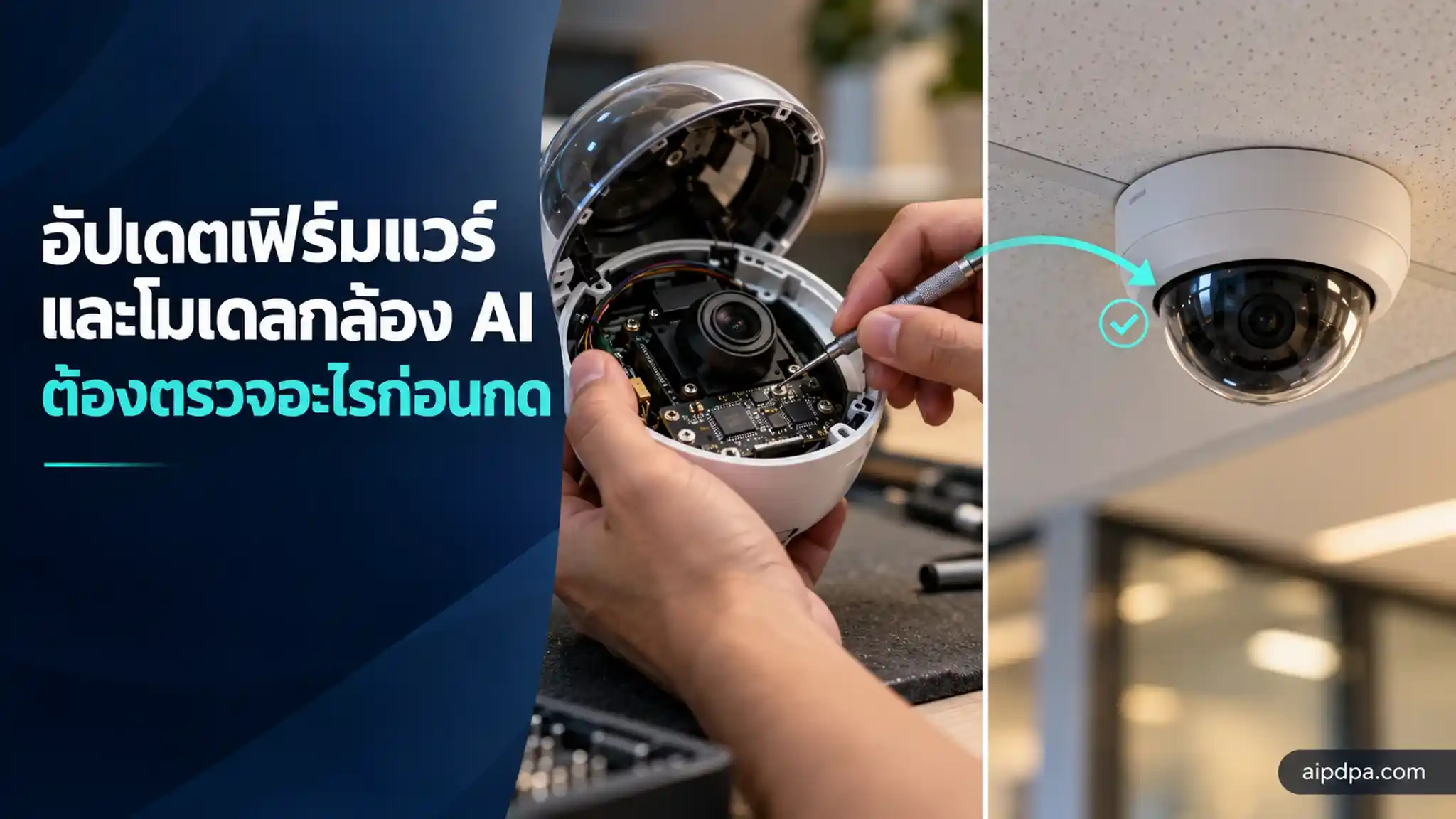
Updating the firmware and AI model of a camera is a change that should be identified, assessed, tested, approved and then verified, following clause 3.4 of the NCSA guideline for AI-enabled CCTV. This article is for system owners and camera administrators, and gives a table of which kind of change needs which test before going live. The guideline is a recommendation, not law.
- Clause 3.4 sets a sequence of identify, assess, test, approve, deploy, verify and monitor, not just a successful install.
- After an update the system should remain in its approved state, with a rollback plan if a significant anomaly appears (clause 3.4.4).
- If AI performance changes a lot, find the cause before adjusting thresholds (clause 3.5.3).
- A provider may change the model on its side without you pressing anything, so agree on change notification (clause 3.4.6).
- PDPA s.37 (1) requires security measures to be reviewed when technology changes. The NCSA guideline itself has no binding force.
Suppose a coffee shop uses a camera with built-in AI that counts people walking in. The installer says there is new firmware and applies it after closing time. The next morning the camera is online and the picture is as sharp as ever, but the footfall count has dropped noticeably and nobody knows why (a hypothetical case).
Suppose further that the cause is the detection sensitivity, which went back to the factory default during the update. Nothing broke and no alarm sounded. The system simply began behaving differently, quietly. If the same camera were used for something that affects people, such as spotting strangers in a restricted area, a difference like that would not be small.
This article is about what to check before and after updating a camera's firmware or AI model. It relies mainly on clause 3.4 of the NCSA guideline for AI-enabled CCTV, version 1.0.0 of 29 September 2026, together with clauses 3.5, 3.6, 3.7 and 3.10. For face recognition and biometric data, see AI cameras, face recognition and biometric data.
ทั้งนี้ แนวปฏิบัติทั้งสองฉบับนี้เป็นเพียงข้อเสนอแนะเบื้องต้นให้กับผู้ที่เกี่ยวข้อง ไม่มีสภาพบังคับใช้ ไม่สามารถใช้แทนกฎหมาย ประกาศ หลักเกณฑ์ สัญญา หรือข้อกำหนดอื่นที่มีผลใช้บังคับWhy is updating an AI camera more than pressing a button?
Because more than the camera is being updated. Clause 3.4 of the NCSA guideline treats firmware, software, the AI model, settings and outside services as changes that can affect security, AI performance, data processing and links to other systems.
การปรับปรุงระบบไม่ควรพิจารณาเฉพาะว่าการติดตั้งสำเร็จหรือระบบสามารถกลับมาให้บริการได้แต่ควรพิจารณาด้วยว่า ระบบยังคงทำงานตามวัตถุประสงค์ อยู่ในสถานะที่ได้รับอนุมัติ และมีระดับความเสี่ยงที่ยอมรับได้The sequence the document recommends is: identify the change, assess the impact, test, approve, deploy, verify, and monitor. In plain terms, know what will change before you press, and be able to show afterwards that the system still works as approved.
The statute points the same way. Section 37 (1) of the Personal Data Protection Act requires the controller to review security measures when technology changes. An update that makes footage get processed differently is a natural moment for that review.
(1) provide appropriate security measures for preventing the unauthorized or unlawful loss, access to, use, alteration, correction or disclosure of Personal Data, and such measures must be reviewed when it is necessary, or when the technology has changed in order to efficiently maintain the appropriate security and safety.
Our observation: if an update turns on a new capability that changes the purpose or the kind of data collected, check whether the privacy notice on display still matches reality. Signage and notices are covered in CCTV in the workplace under the PDPA.
What do you need to know before updating?
You need to know what you are running today. Clause 3.4.1 asks you to identify the key components well enough to manage change and risk: device and firmware versions, key software or platforms, the AI model or capability in use, settings that affect the AI, outside AI or cloud services, and connections to other systems.
This does not require a new register. The document says that if an asset system, vendor documents or other existing evidence show the state of the system and allow checking back, you can use what you have. For a small shop, one spreadsheet recording the firmware version, the update date and the key settings fits that.
Clause 3.4.2 asks you to assess, before changing anything, the effect on security, data, AI performance, access rights, connections, the continuity of other systems and service continuity. The depth of the assessment should be proportionate to importance, not the same process for every change. The examples it gives are firmware, software, the AI model, detection thresholds or decision criteria, AI capabilities, data-processing methods, APIs, connected systems and outside providers.
That list is wider than many people expect. Changing a single detection threshold counts as a change worth considering. You do not have to wait for a whole firmware package.
When is a change "significant"?
The guideline defines the term in clause 3.4.7 and says that when it occurs the organisation should consider reviewing or reassessing impact and risk under clause 3.1, before or after the change depending on the case and its urgency.
การเปลี่ยนแปลงที่มีนัยสำคัญ (Significant Change) หมายถึง การเปลี่ยนแปลงที่อาจทำให้วัตถุประสงค์ ขอบเขตการประมวลผลข้อมูล ความสามารถหรือสมรรถนะของ AI การเชื่อมต่อ การดำเนินการอัตโนมัติ หรือระดับผลกระทบและความเสี่ยงของระบบเปลี่ยนแปลงอย่างมีนัยสำคัญ เมื่อเกิดการเปลี่ยนแปลงดังกล่าว องค์กรควรพิจารณาทบทวนหรือประเมินผลกระทบและความเสี่ยงใหม่ตามข้อ 3.1 ก่อนหรือภายหลังการเปลี่ยนแปลงตามลักษณะและความเร่งด่วนของกรณีWhich event needs which test or review before going live?
Clause 3.6.3 lists events that call for extra checks outside the regular cycle, such as a change of AI model, firmware or key software. Clause 3.4.3 lists what testing may cover. The table below pairs the two as a decision table. The layout and the approver column are the AIPDPA team's own suggestion.
| Event | Test or review before going live | Suggested approver (our suggestion) |
|---|---|---|
| The maker ships firmware that only fixes a vulnerability | The system still records and sends footage; security settings and account rights are unchanged; event logging still works | The system administrator, with the owner if use is affected |
| New firmware ships with a new AI model version | Whether the old test clips give different results; false-alarm and miss rates; whether detection thresholds are still the old values | The system owner, who decides what the AI is for |
| A cloud or outside AI provider changes the model on its side | Ask the provider what changed, rerun the same test clips, and check the data-processing location is unchanged | The system owner, with whoever is responsible for personal data |
| An extra AI capability is switched on, for example from counting people to identifying them | This is a change of purpose: reassess impact under clause 3.1 and review the privacy notice before going live | Senior management or the body responsible for AI risk |
| An API changes or an automated action is added | What data leaves, the rights of the service account, the scope of the action, and whether a person checks before the downstream system acts | The owner of the downstream system too, not only the camera team |
| A camera is moved or turned, or lighting or angle changes in a way that affects the AI | Test AI accuracy at the new position and check the camera does not cover more than its purpose | The system administrator, with the owner of the area |
| Firmware or model is nearing end of support | Assess the risk of continuing; options are upgrading, replacing, limiting use or temporary mitigation (clause 3.4.7) | The system owner |
| A significant vulnerability is found in equipment you use | Check whether your system is really affected; prioritise by your own risk, not severity score alone; if you cannot fix yet, apply temporary controls and follow up (clause 3.4.5) | The system administrator, reporting to the owner |
What should you test before the update and verify after it?
Clause 3.4.3 says significant changes should be tested before going live as appropriate. Testing can cover how the system works after the change, AI performance and results, security settings, accounts and rights, event logging, API connections, automated actions, and behaviour in abnormal or unavailable conditions.
For high-impact systems the guideline suggests setting test criteria and approvers that fit the risk before the change enters live use. After the update, clause 3.4.4 asks you to verify that the system is still in its approved state.
ภายหลังการเปลี่ยนแปลง องค์กรควรทวนสอบว่าระบบยังคงอยู่ในสถานะที่ได้รับอนุมัติ (Approved State) และไม่มีผลกระทบที่ไม่ได้คาดหมายต่อความมั่นคงปลอดภัยหรือการทำงานของ AIหากพบความผิดปกติที่มีนัยสำคัญ ควรสามารถจำกัดผลกระทบ ย้อนกลับการเปลี่ยนแปลง หรือใช้รูปแบบการทำงานที่ปลอดภัยตามความเหมาะสมThe second sentence matters most in practice. Without a rollback plan, a failed check has nowhere to go. Before pressing update, know where the old firmware is kept, whether the camera can go back, and whether it will lose its previous settings (our observation).
A set of test clips: the simplest way to catch change
Keep a short set of clips that stand for real situations, for example people walking in under normal light, in low light, and a case the AI has missed before. Record the AI's result on the set before the update, repeat afterwards and compare. This method is our suggestion. The NCSA document names no specific method, but it fits clause 3.5.3, which asks you to track performance and error patterns.
Clause 3.5.3 gives examples of what to watch: false positives, false negatives, misclassification and misidentification. It warns that when performance shifts significantly you should find the cause before adjusting thresholds.
เมื่อสมรรถนะเปลี่ยนแปลงอย่างมีนัยสำคัญ ควรพิจารณาสาเหตุและผลกระทบก่อนปรับค่าเกณฑ์(Threshold) หรือการตั้งค่า (Configuration) เพื่อหลีกเลี่ยงการแก้ปัญหาที่อาจสร้างความเสี่ยงใหม่How do you catch a system that quietly changes behaviour after an update?
Through monitoring that covers more than online status. Clause 3.5 says monitoring should not stop at the camera or network but should reach the AI-related parts and the use of its output. Clause 3.5.1 gives examples of what to log, such as changes to key settings, switching AI capabilities on, off or to another capability, and changes of software or AI version.
Clause 3.5.2 asks you to detect or review changes to the AI's version, capability, rules and configuration, to guard against unauthorised changes or changes outside the change process in clause 3.4. It adds that the maker or provider should give enough information for users to assess and test, without revealing all code or algorithms.
Clause 3.10.1 adds a point that is often forgotten. An odd AI result does not always mean an attack, but if the pattern changes clearly you must find out whether it comes from the AI's limits, the environment, a system fault or a security event.
Here are four hypothetical situations to watch for, with what to check. The reading is the AIPDPA team's.
Compare with the settings you wrote down before the update and rerun the test clips. Clause 3.5.3 says to find the cause before adjusting thresholds.
Clause 3.4.4 asks you to confirm that rights did not change by accident, and clause 3.10.2 lists unauthorised changes to the model or key settings among signals to investigate.
Using an unapproved AI capability is a signal under clause 3.10.2, and adding capabilities is on the list of events to check under clause 3.6.3.
Record the verification, as clause 3.6.5 suggests keeping evidence of what was checked, the result and who is responsible.
How far can you trust the firmware you are about to install?
Clause 3.7 says trustworthiness is not just the product's features at purchase, but covers its whole life: secure development, security updates, vulnerability handling and support until end of life.
The table in clause 3.7.1 gives an example: a product should have a way to verify the integrity and source of firmware or updates before installation, such as code signing. As a buyer, the questions you can put to the seller are whether this firmware is signed and which channel of the maker it should come from.
Clause 3.10.2 also lists firmware or components of unknown origin, or not matching the approved state, among signals to investigate. A firmware file that arrived through a chat app or from an unofficial web page should not go onto a live camera.
Clause 3.7.4 says that for the AI model you should have enough information or evidence to know which AI the system is using, where it comes from, whether it has changed and whether it still suits the purpose. It also says the maker is not automatically required to disclose source code, model weights or all training data.
| Aspect | Vulnerability-fix update | Update that changes the model or capability |
|---|---|---|
| Urgency | Prioritise by your own risk, not severity score alone; if you cannot install yet, use temporary controls (clause 3.4.5) | Usually can wait for testing; no reason to skip the assessment |
| Main things to test | Basic operation, security settings, account rights | The AI's results on the test clips, thresholds, connections and automated actions |
| Risk to personal data | Usually lower if data processing does not change | Higher, because purpose or the kind of data derived from footage may change |
| Rollback | Often possible to the old version, but some models refuse, so ask the maker | You need to know whether the old model can return and how far the AI's output in the interim can be trusted |
| What to ask the seller for | Affected versions, impact and the fix | A list of changes to capability, performance, privacy and AI output (clause 3.5.2) |
If the provider changes the model on its side and you press nothing, how will you know?
Many AI cameras do part of their processing in the maker's cloud. The provider can change the model or the processing location without you doing anything. Clause 3.4.6 speaks directly to this.
กรณีระบบพึ่งพาบริการคลาวด์ บริการ AI หรือบริการจากผู้ให้บริการภายนอก การเปลี่ยนแปลงอาจเกิดขึ้นโดยที่องค์กรไม่ได้เป็นผู้ดำเนินการโดยตรง เช่น การเปลี่ยนแบบจำลอง AI รุ่นของบริการ API ความสามารถของระบบ เงื่อนไขการให้บริการ หรือสถานที่ประมวลผลข้อมูลThe document suggests setting a way to learn of and assess significant provider changes. For high-impact systems it suggests thinking about change notification, testing or the right to consider significant changes at procurement or contract stage. If the existing contract lacks this, you can still ask for written notice of changes (our observation).
If the provider is a processor of your data, check the data processing agreement for clauses on a change of processing location or sub-processors. See processor agreement clauses.
How should the day of the update run?
The timeline below is the AIPDPA team's suggestion, ordering the steps by the logic of clause 3.4: identify, assess, test, approve, deploy, verify, monitor. The NCSA guideline sets no durations for these steps, so any timing shown is only an example to adapt to the size of the system.
- Before the update: record the stateWrite down the firmware version, software, AI model, settings that affect the AI and the connected systems. Back up the current settings and keep the test clips with the AI's results from before the change.NCSA AI guideline cl. 3.4.1
- Before the update: assessRead the maker's release notes, see whether the firmware touches the model, settings, rights or connections, and decide whether it is a significant change.Cl. 3.4.2; cl. 3.4.7
- Before the update: test on one cameraInstall on a test camera, or the lowest-risk camera, first and test against the list in clause 3.4.3.Cl. 3.4.3
- Before the update: approve and prepare to roll backThe person with authority approves, agrees what result means a rollback, and keeps the old firmware file ready.Cl. 3.4.3; cl. 3.4.4
- Update dayDo it when use is least affected, in groups of cameras rather than all at once if you can, and note the time, who did it and the versions before and after.Cl. 3.5.1
- Right after the updateVerify that the system is in its approved state, security settings and rights are unchanged, the AI matches the test clips, and logging still works. If a significant anomaly appears, limit the impact or roll back.Cl. 3.4.4
- Monitoring period after the updateWatch false-alarm and miss rates against the pre-update figures. If they shift a lot, find the cause before adjusting thresholds.Cl. 3.5.2; cl. 3.5.3
- Close the jobRecord the check, who is responsible and what remains to do. You can use an existing ticket or checklist system and need no new form if it allows tracing back.Cl. 3.6.5
If during or after an update you find the system was altered without anyone ordering it, or footage has leaked, continue with CCTV footage leaked: what to do in the first 72 hours.
AIPDPA helps with the AI registry, where you record the version and the person responsible, and with AI risk assessment against international frameworks. You can look at it in the demo account.
Frequently asked questions
Can I leave automatic updates switched on for an AI camera?
Clause 3.4 of the NCSA guideline does not forbid it, but it asks you to assess, test and approve significant changes before they go live. If you keep automatic updates on, limit them to security patches that do not touch the model, and have a way to see when the version changes.
A security patch is out. Must I install it at once?
Not necessarily at once. Clause 3.4.5 asks you to see whether your system is affected and to prioritise by risk, not by severity score alone. If you cannot install yet, apply temporary controls and follow up.
Do I need a separate register of firmware and model versions?
No new register is needed. Clause 3.4.1 says that if your asset system, vendor documents or other evidence already show the state of the system and allow checking back, you may use them.
Does the maker have to give me the source code or training data of the model?
Clause 3.7.4 says the guideline does not automatically require makers to disclose source code, model weights or all training data. They should supply enough information or evidence for you to judge trustworthiness and manage risk, unless law or contract requires more.
Does the NCSA AI-enabled CCTV guideline require testing before an update?
No. Its preface says it is only a preliminary recommendation with no binding force. The related legal duty is section 37 (1) of the Personal Data Protection Act, which requires security measures to be reviewed when technology changes.
Law and sources
- Personal Data Protection Act B.E. 2562 (2019) — Section 37 (1)
- NCSA Thailand AI-Enabled CCTV Security Guidelines v1.0.0 (guidance, not law) — Clause 3.4 · 3.5 · 3.6.3 · 3.7 · 3.10
Text in the "The text" boxes is copied word for word from AIPDPA's legal knowledge base, transcribed from the Royal Gazette and official documents; every edit is checked by the system against that base, character by character. English wording is an unofficial translation; the Thai text prevails. This article is general information, not legal advice for a particular case.
Do it in the system

Who stands behind this guide?
Written by the AIPDPA legal team · Content owner: Phuwara Krobtaku, Attorney-at-law · Thai Barrister-at-Law · technology & intellectual property counsel
Lawyer's licence no. 477/2558 · Thai Barrister-at-Law · LL.M. in Intellectual Property & IT Law (Gold Medal)